
- Training
- Service
- Promotion
- Schedule
- Testing Center
- News
- Contact
7/2/2019


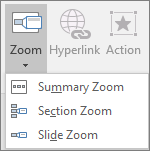
Tip: If you want to, you can create a Slide Zoom quickly by simply selecting the slide you want from the thumbnail pane and dragging it onto the slide you'd like to have your Slide Zoom on. This way, you can create Slide Zooms and change them quickly, and arrange them however you like simply by clicking and dragging.

12/11/2025


