
- Training
- Service
- Promotion
- Schedule
- Testing Center
- News
- Contact


We are excited to announce the new Outlook for Windows is now generally available for commercial customers and will now receive full support from Microsoft's support channels, including Assisted Support! The new Outlook for Windows combines rich productivity features and the latest innovations: Enjoy a familiar, more productive, and seamless way to work.
The evolution of the new Outlook for Windows is a collaborative effort, shaped by the voices, experiences, and feedback of tens of millions of people who use it across work and personal accounts. In May 2022, we introduced the preview of the new Outlook for Windows, embarking on a mission to deliver the best email experience for our modern needs. By September 2023, it was made generally available for personal accounts.
With this update, we are not changing any settings for you or your organization. New Outlook is still an opt-in experience, so it’s ready for you when you are.
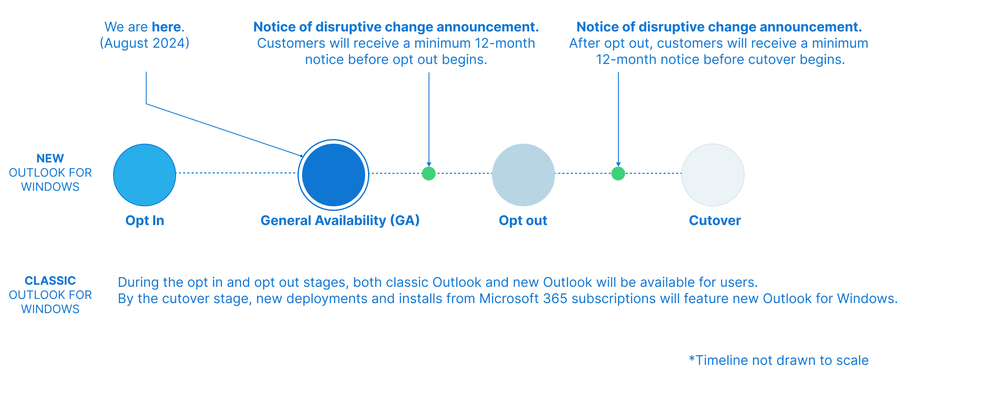
Image shows the next milestones and phases for the new Outlook
Enjoy a familiar, more productive, and seamless way to work
Built for today and designed for the future, the new Outlook for Windows combines rich productivity features and the latest innovations like Microsoft Copilot, to help users draft emails, summarize conversations, and receive coaching to more effectively get their messages across. Customers are already embracing these new tools, where we continue to see growing usage.
Designed to be familiar and reliable
We’ve taken the familiarity and reliability of classic Outlook and improved it with a modern architecture that reduces device-resource consumption and drastically shortens the time required to deliver fixes and new capabilities to just weeks. This helps you spend less time resolving issues thanks to automatic updates that apply as soon as Outlook is opened.
Built for innovation to help you achieve more
With innovation at its core and the integration of new AI features like Copilot, the new Outlook empowers you to get more done and effortlessly stay on top of things.
Features like suggested text and suggested replies help you deal with emails faster while the most up-to-date Copilot capabilities can assist with writing better emails, breaking writer’s block, and summarizing your emails so you can go through your inbox faster.
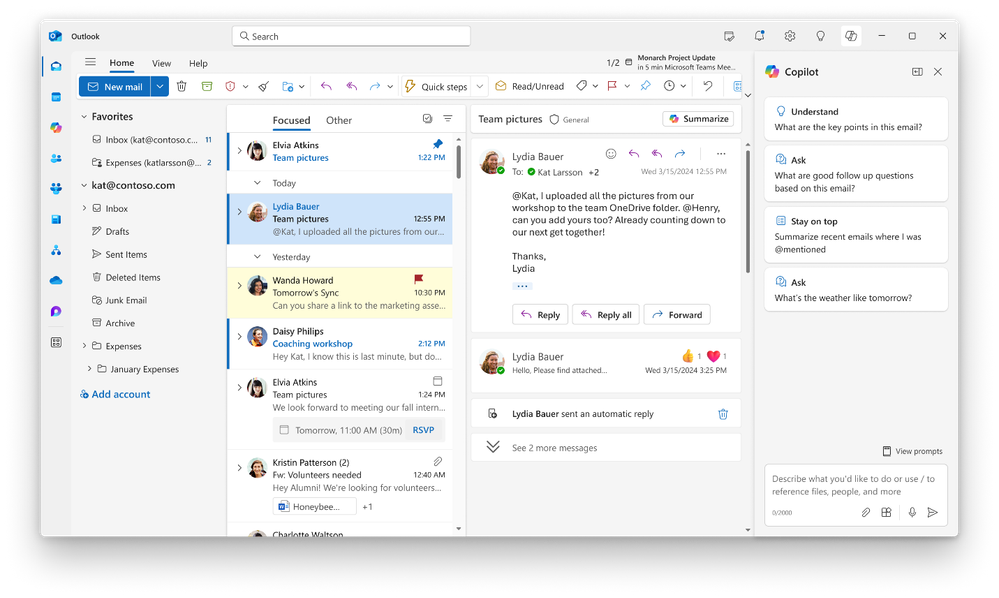
Effortlessly stay on top of things by dragging emails to My Day to turn them into tasks, pinning a message so it stays at the top of your inbox, and RSVPing to a meeting invite with “Follow” when you can’t attend but want to stay in the loop. You can also keep your inbox free of clutter by automating how Outlook triages messages using Sweep and rules.
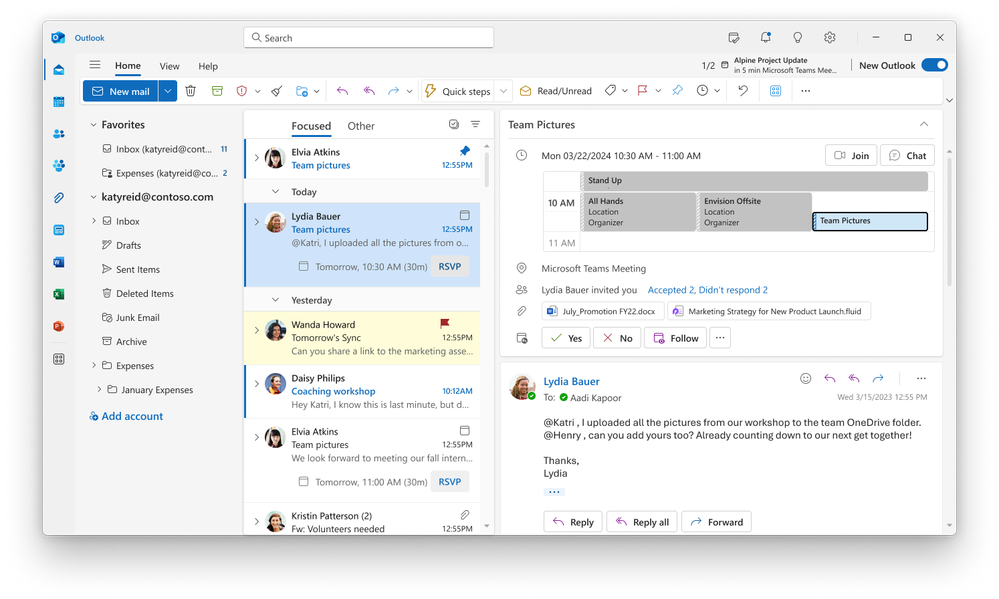
Improvements to make your work seamless
We’ve taken the familiarity and reliability of classic Outlook and reimagined it with modern enhancements to integrate seamlessly with Microsoft Teams, Loop, OneDrive, and other Microsoft 365 products.
Reduce back and forth emails, document version tracking, and context switching with real-time collaboration using Microsoft Loop which syncs the content across apps like Outlook and Teams. Start a Loop component in the new Outlook, share it through email or Teams and content is updated in real time.
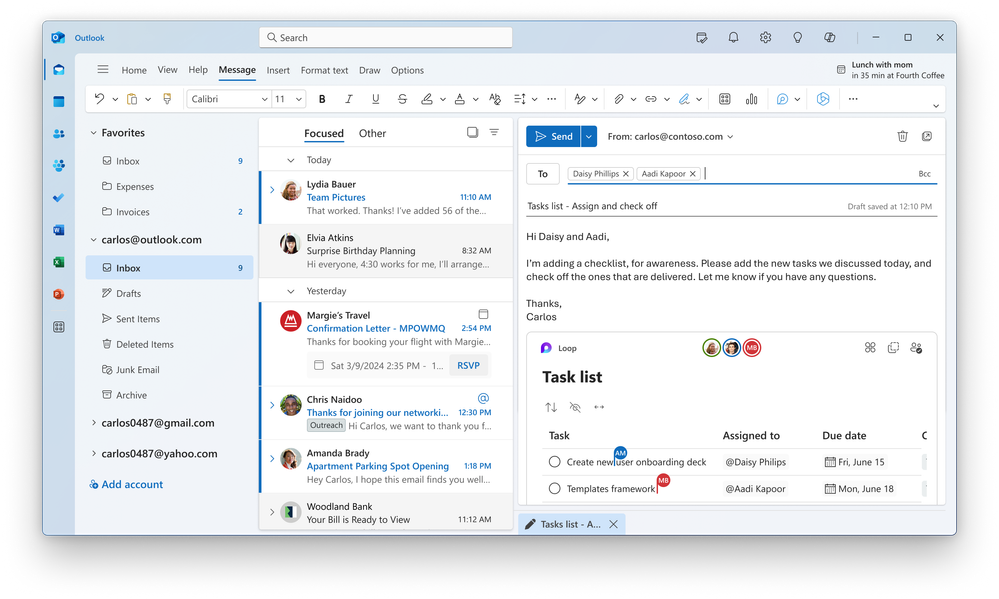
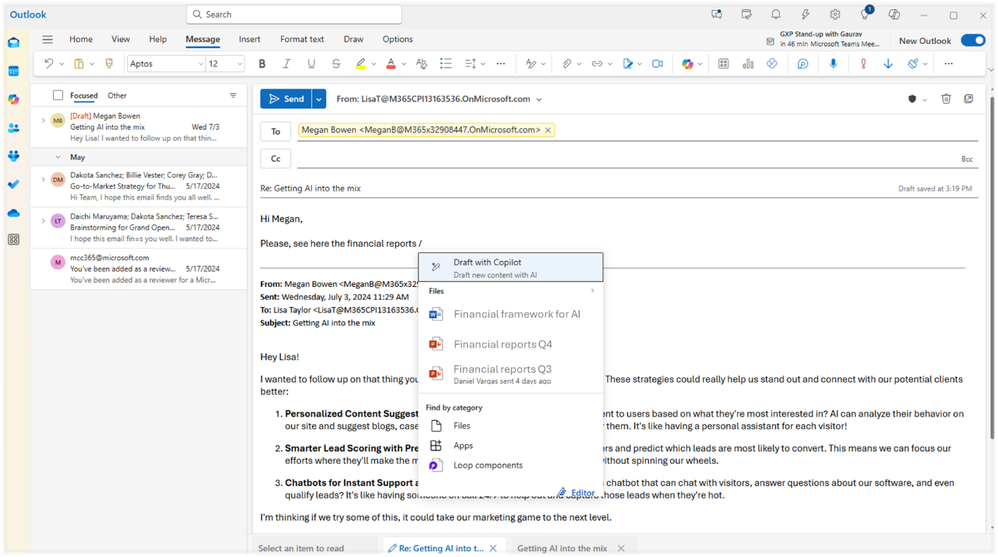
Search and attach files from OneDrive without switching apps just by typing “/” to see suggested files and files you recently worked on.
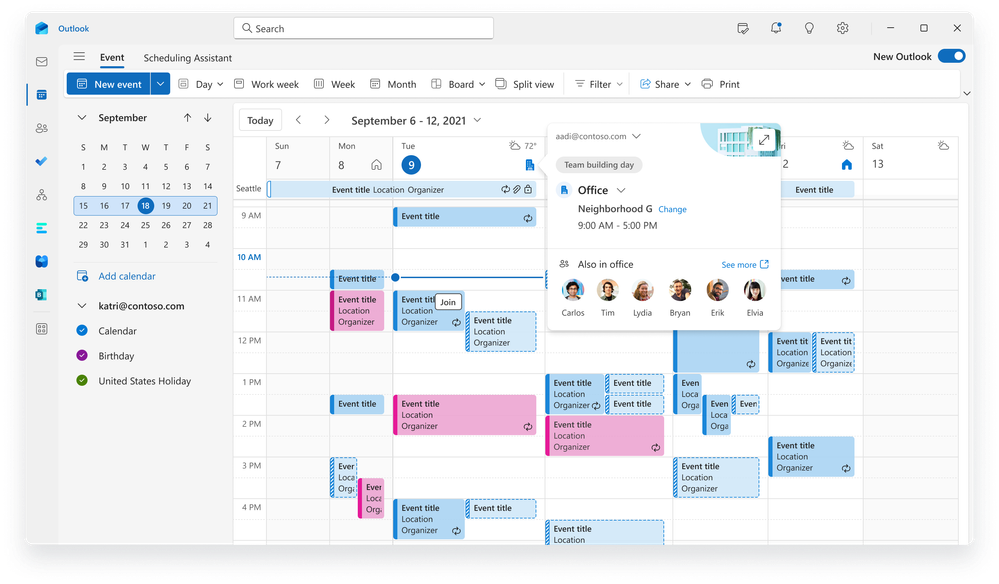
In the new Outlook, planning to work remotely or in the office is a little easier. You can set up your working hours and location, so your colleagues know when and where you plan to work and when they set theirs, you can see which teammates plan to be in the office to connect and collaborate with your team.
Source: techcommunity.microsoft.com


