
- Training
- Service
- Promotion
- Schedule
- Testing Center
- News
- Contact


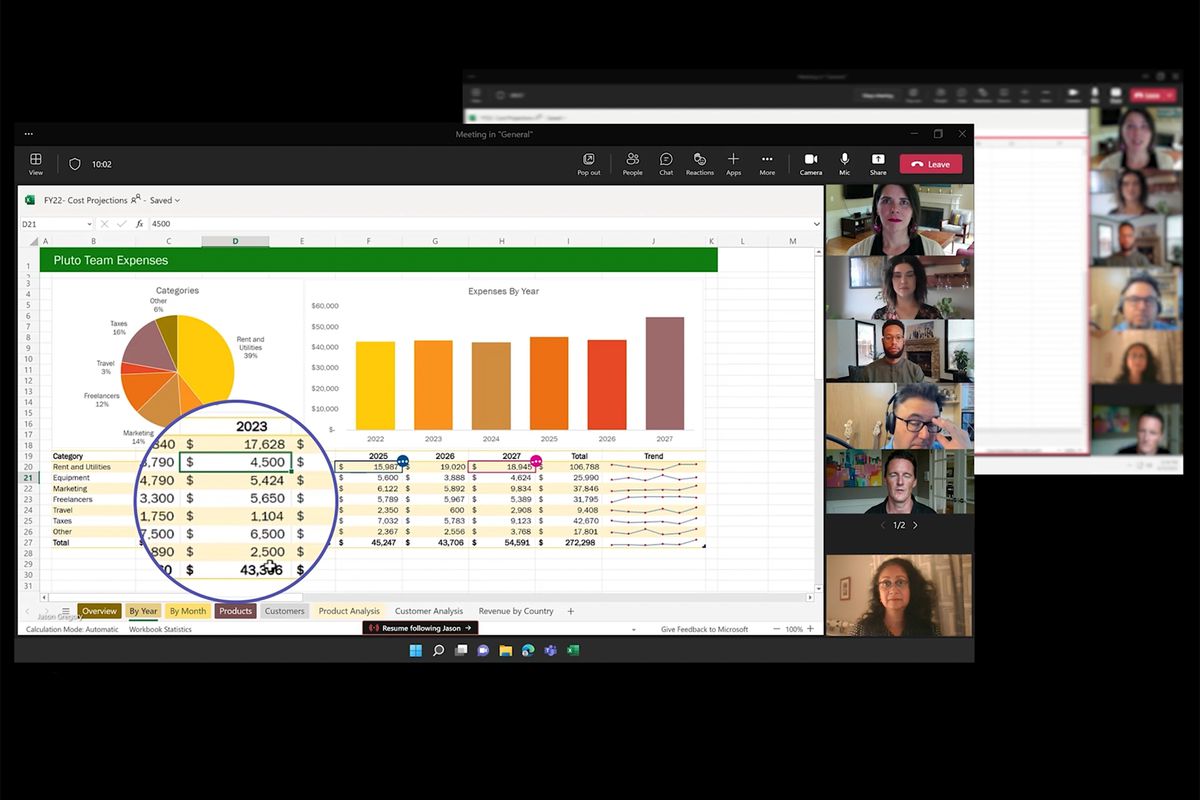
Microsoft is bringing Excel directly into Teams meetings. Excel Live is a new way for Teams meeting participants to edit Excel spreadsheets together in real time. This is part of a trio of new features coming to Teams to further focus on Microsoft's collaborative work. Teams are also getting video clips that can be shared in chats, and collaborative annotations that let colleagues doodle on top of content in Teams meetings.
Excel Live is part of Microsoft's Live Share functionality in Microsoft Teams that the company detailed earlier this year.
Nicole Herskowitz, vice president of Microsoft Teams, explained in an interview with The Verge: “What it does is it allows you to edit the workbook directly in real time, right in the meeting phase itself. there. People can go in and start editing Excel workbooks, and they never have to leave the meeting screen.”
/cdn.vox-cdn.com/uploads/chorus_asset/file/23883650/excellive.gif)
You don't even need Excel installed or running on a device, and you can even set specific permissions or use features like tracking changes as you would in a regular version of Excel. “This is using full Excel,” says Herskowitz. “Excel Live is built on top of our Fluid Framework, which allows for this kind of experience.”
This neat integration of Excel should arrive sometime in August, and it will complement a new collaborative annotations feature in Teams that launch today. Collaborative annotations lets all meeting participants draw, type, or react on top of any content that's shared in a meeting. It’s essentially the same tools you’d find in Microsoft’s Whiteboard app, but you don’t have to launch a separate experience or import content to start annotating.
/cdn.vox-cdn.com/uploads/chorus_asset/file/23883651/collabannotations.gif)
You can highlight things, place Post-it notes on the screen, or just doodle everywhere. “It allows those whiteboard rich experiences on any screen,” explains Herskowitz. “It basically makes any space more collaborative.” Collaborative annotations are designed to be ephemeral, so they live only inside a Teams meeting. “Right now there’s no exporting capabilities, so you’d probably take a picture or a screenshot to save that for future reference,” says Herskowitz.
The last big addition to Microsoft Teams is Video Clip. This new feature lets anyone record and send short video clips in a Teams chat. It’s essentially a video voicemail, and it’s very similar to the video clips that Slack launched last year. Video clips can be up to a minute long and are ideal for asynchronous communication where you might have a colleague in a different time zone and want to leave them a video message.
Source: https://www.theverge.com


