
- Training
- Service
- Promotion
- Schedule
- Testing Center
- News
- Contact


If you’re looking to protect your digital life or simply save time and effort when filling your personal data in forms or apps, now is a great time for you to try Autofill in Microsoft Authenticator. Here are the top 5 things Autofill can do for you!
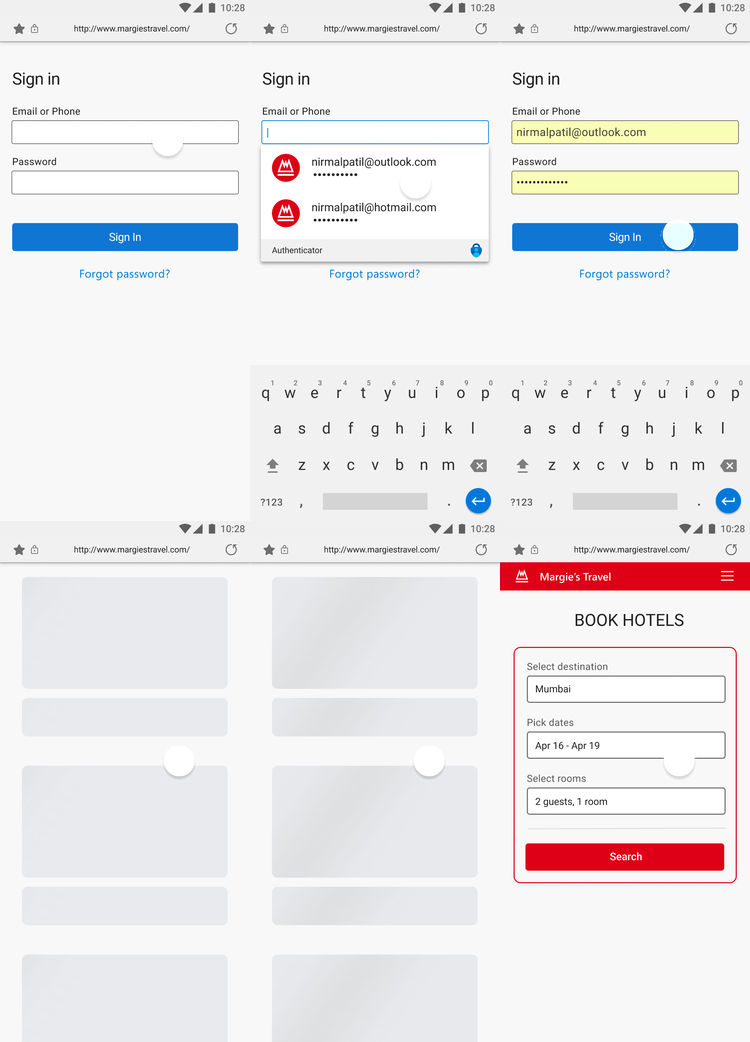
Bring you peace of mind by managing your personal info
On average, a consumer has 90 online accounts which need passwords. Remembering passwords of those accounts is hard. Let Autofill save and remember your passwords and other info for you, or manually add one to make it available whenever you need it.
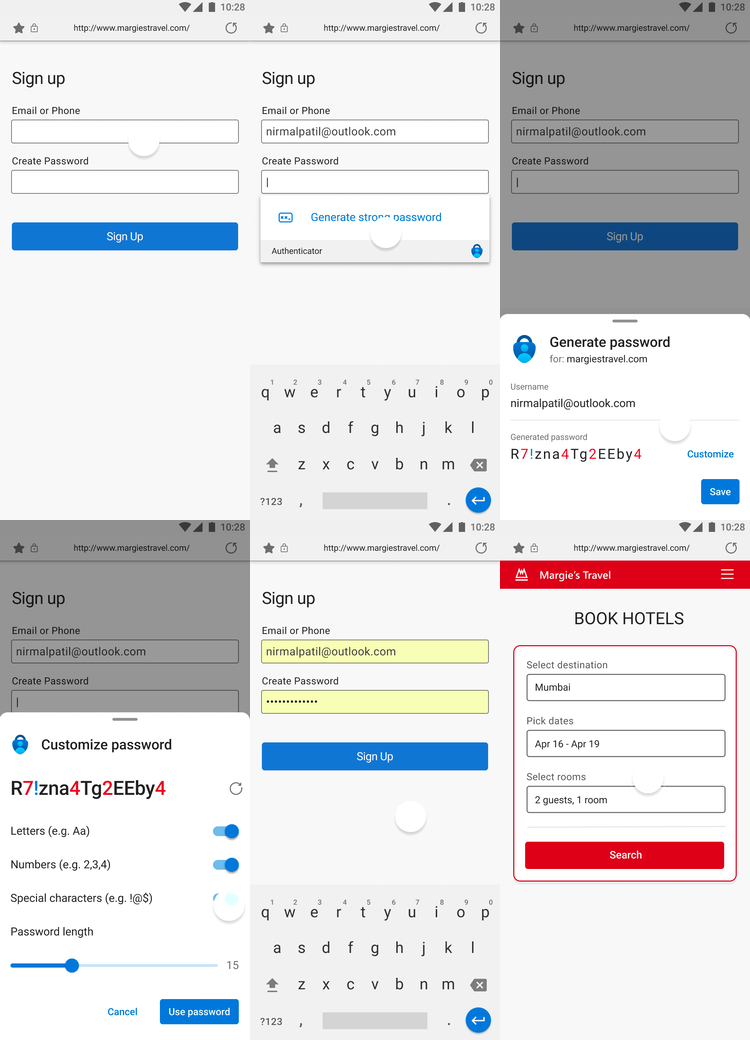
Help protect your accounts by generating strong passwords
According to the Verizon’s Data Breach Investigation Report 2021, 61% of data breaches happen due to leveraged passwords. Autofill helps you stay safer online by creating strong, unique passwords with different combinations of numbers and characters using our new Password Generator every time you create an account or change the password of an existing one. If coming up with new passwords is hard, we know remembering the ones you used is harder. Autofill will remember generated passwords for you whenever you use one—no matter which device you’re using.
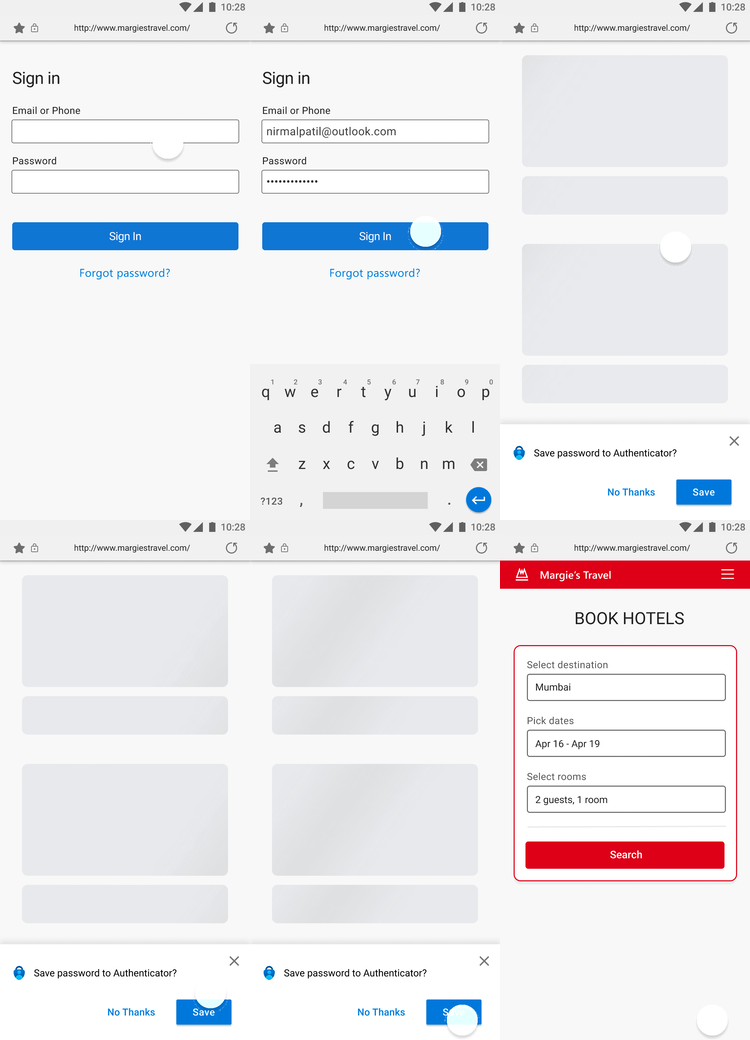
Login or fill forms with one tap
Typing passwords and details like your credit card info or delivery address every time you shop online is tedious and prone to mistakes. Let Microsoft Autofill automatically type your info for you to save time and avoid mistakes.
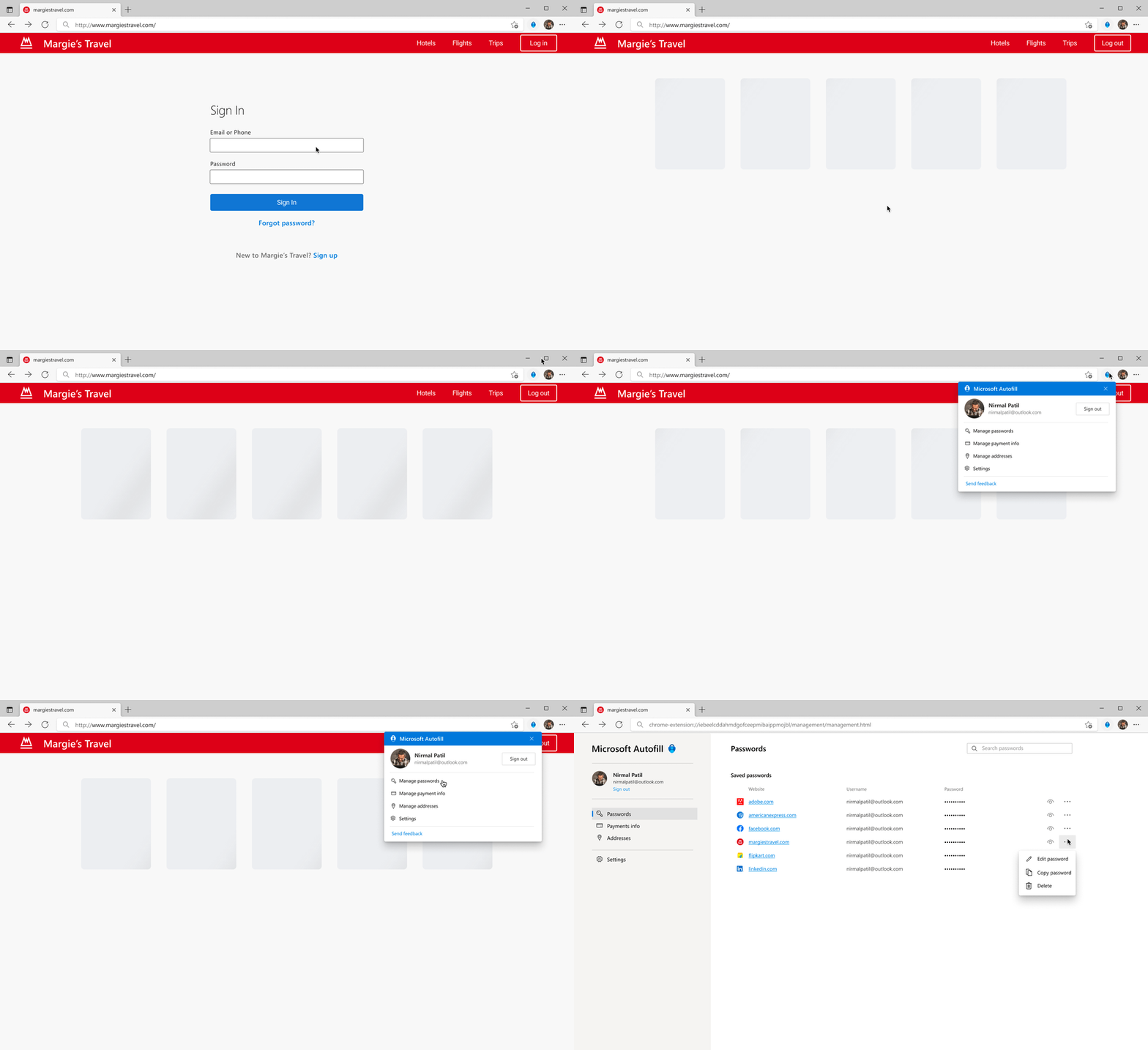
Access your data wherever you are, whenever you need it
Want to sign in on your phone but the password is saved on your computer? Autofill lets you sync your passwords and addresses across devices and makes them available to be filled automatically, including on your desktop devices using Microsoft Edge.
Be the only one to access your data
All Microsoft Autofill data is encrypted on both your device and the cloud when synced across devices. As an added measure of security, customers who autofill passwords or payment info with Authenticator will need to verify their identity using bio gestures. This ensures that only the rightful owner of the device can access and autofill passwords and payment info.
All new passwords are generated using an enterprise-grade password generation algorithm and have built-in randomness. Consequently, they’re difficult to guess and don’t follow any patterns or words, making them nearly immune to brute-force attacks.
Microsoft’s goal is to help our customers safeguard their digital life and access their data in a simple, more secure manner.
Source: blogs.windows.com


