
- Training
- Service
- Promotion
- Schedule
- Testing Center
- News
- Contact



| Meetings |
You can now find meeting recordings in Microsoft Search based on the meeting transcript. This feature is available to all users by default and makes it easier to find videos in Microsoft 365. You can access this feature through the search bar in Teams you use to find other file types.
Lock a meeting from additional joins
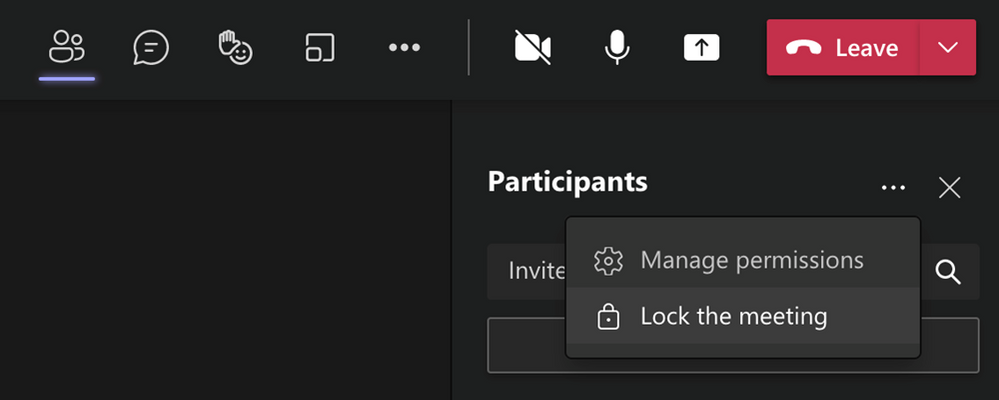
Organizers can now choose to lock their meetings to prevent subsequent join attempts. Anyone attempting to join a locked meeting from any device is informed with a message that they are not able to join as the meeting is locked. This helps avoid distractions from late joiners during the meeting. You can find this feature under More actions in the Participant pane and is currently available in Desktop app only.
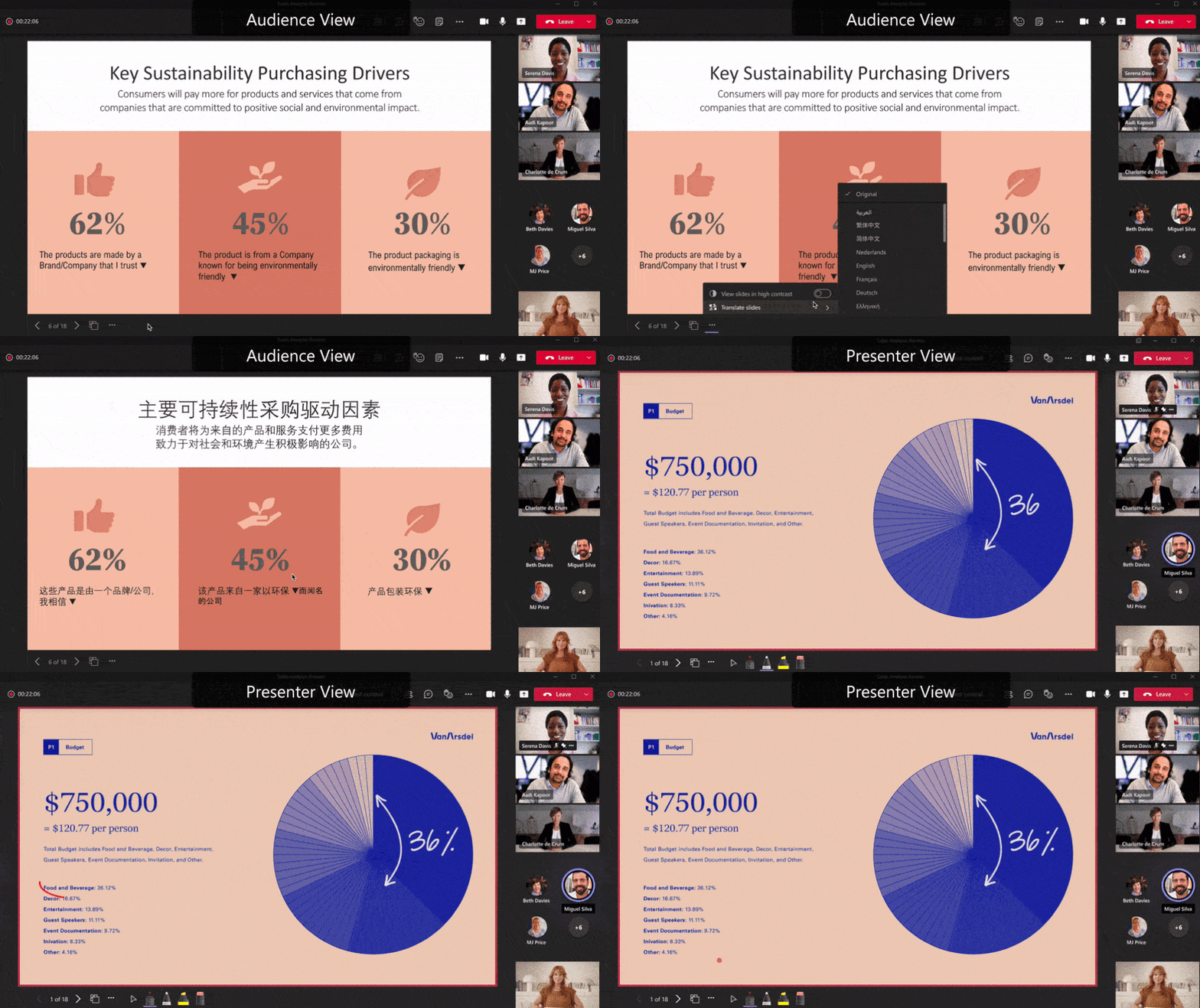
Slide translate in PowerPoint Live in Teams
Make your slides more inclusive with slide translate in PowerPoint Live in Teams. This private setting allows you to see a personalized view of the slide where text is translated in your chosen language. Now you can better understand the presented content privately. This feature supports 19 languages with more to come.
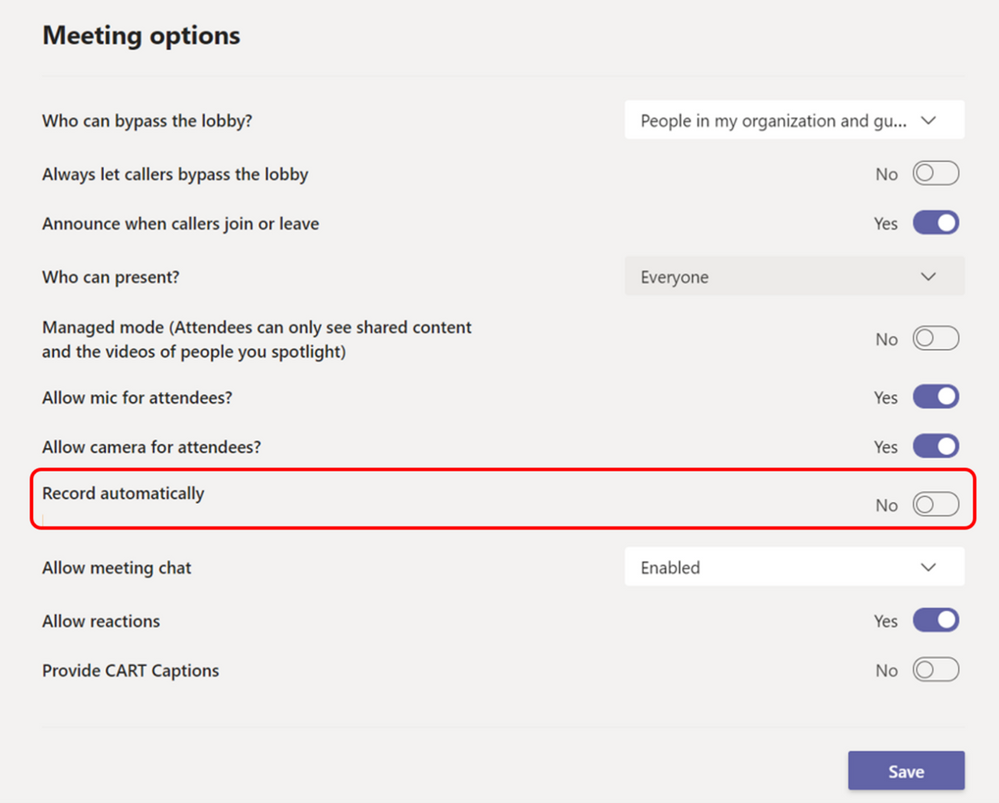
Teams Meetings Auto Recording
Meeting organizers are now able to set a single meeting occurrence or series to auto-record by enabling the “Record automatically” setting from Meeting Options. The meeting automatically starts recording once the first participant from the same organization joins the meeting. Recording is saved to initiator’s OneDrive (privately scheduled meetings) or SharePoint (channel meetings). This feature is available in Desktop and Mobile and not available to an A1 user.
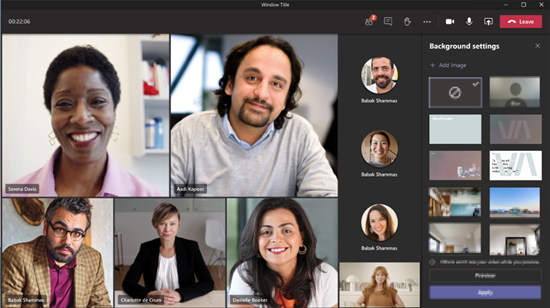
Paging on Video Gallery
When you are in gallery view mode, and there are more videos than what can be shown at once on the meeting stage, navigation controls < and > now appears below the Video Gallery. You can use these controls to view more video participants. The maximum number of videos on the meeting stage can vary depending on your device configuration and internet bandwidth. Paging is available in Large Gallery with Gallery (3x3) coming soon.
.png)
Organization-wide background
You can now tailor your Teams meetings background to your organization. To enable this feature, simply upload images in the Microsoft Teams Admin Center under Meeting policies and they are available to all your users. You can add up to 50 images. Organization-wide backgrounds is now temporarily available and will require an Advanced Communications license when it becomes generally available by the end of the year.
End user Real-time telemetry for meetings
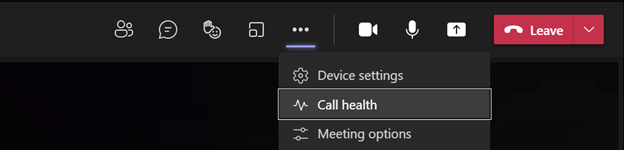
Call health panel provides Teams end-users functionality that helps identify issues during a Teams meeting or a VOIP call. This empowers your users with diagnostics to investigate audio, video, content sharing or network related issues. The real-time metrics are updated every 15 seconds, providing the ability to trace issues as they occur. Access Call Health now under More actions.
Related Content for Teams Meetings for mobile
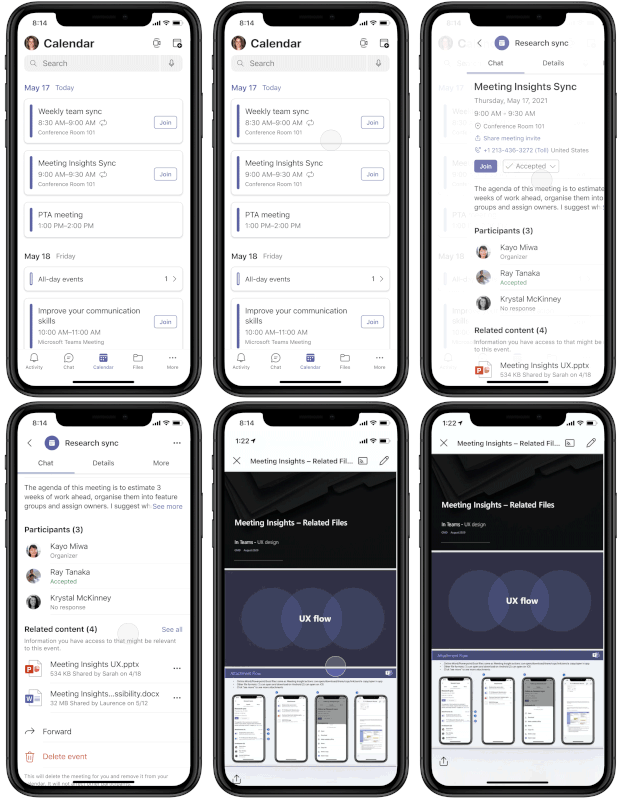
Related Content makes meetings more effective by providing you with important information from your mailboxes, OneDrive for Business, and SharePoint sites. This helps you prepare before meetings by offering content you haven’t had a chance to read or may want to revisit. You can find this content on the Meeting Details page.
| Calling |
Transfer Calls between desktop and mobile
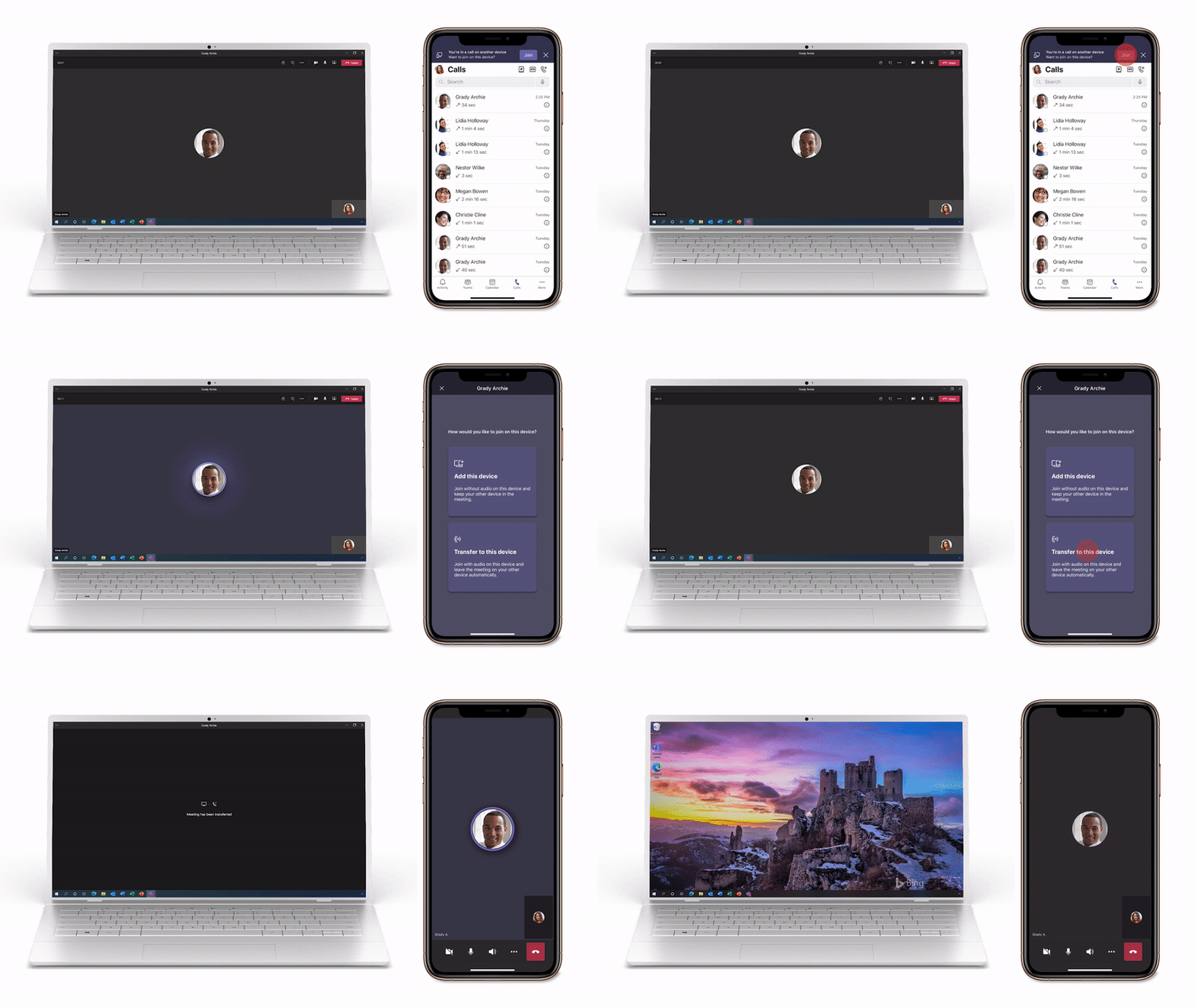
Teams makes it easy to place and receive calls from several different endpoints, including desktop and mobile devices, but sometimes you need to move locations or devices to finish your call. The new endpoint transfer capability allows you to seamlessly move your calls between different devices, such as from your laptop to mobile phone, without any interruption in call service or quality.
| Chat & Collaboration |
Expanded emoji picker
Bring your whole self to the conversation with more than 800 emojis. Have more fun and better express yourself with the large variety of emojis. Select a category and easily find the emoji you need and use the skin tone selector to pick an emoji that better represent you. Quickly add emojis directly when composing a chat, use the short code picker to add emojis using text.

Immersive reader support for Mobile
Immersive Reader, which uses proven customization techniques to support reading across ages and abilities, is coming to Teams iOS and Android apps. You can now hear posts and chat messages read aloud using Immersive Reader on the Teams mobile apps. This functionality was previously available only on the web and desktop apps.
Inline Message Translation in channels for Android and iOS
Inline message translation in Channels lets you translate Channel posts and replies into your preferred language. To translate a message, press-and-hold the channel post or reply and then select “Translate”. The post/reply will be translated to your UI language by default. If you want to change the translation language, go to Settings > General > Translation.
| Power Platform & Custom Development |
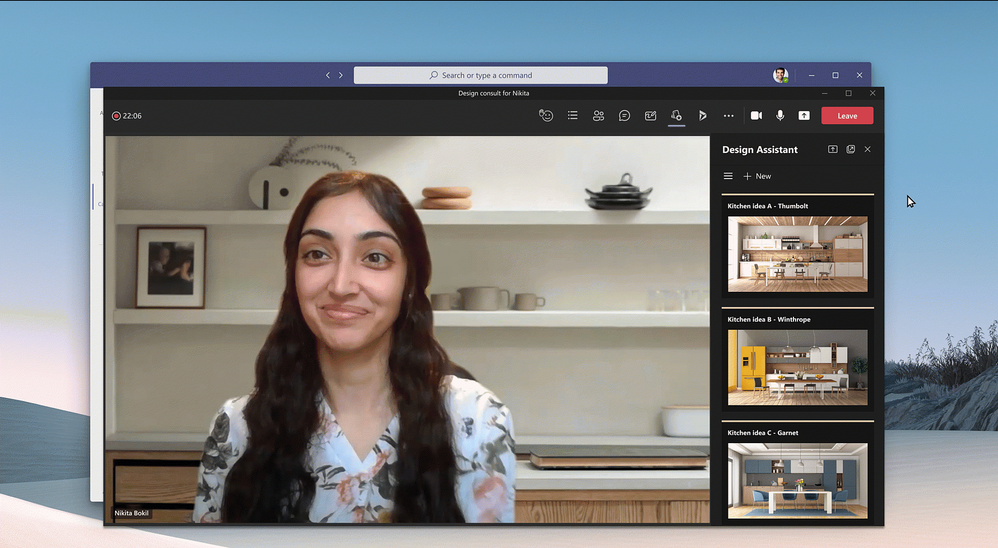
Developers can now configure their Teams meeting apps to use the “main stage” – enabling several collaboration scenarios. This integration allows the app content from the meeting side panel to take full screen and allow users to interact with it.
| Management |
Teams admins are now able to view the security, compliance, and data privacy details for apps coming from Microsoft Cloud App Security. This helps Teams admins save time on security reviews and enable a more focused selection-based security specifications, resulting in increased app quality.
Left navigation updates in Teams Admin Center
To make it easier to find Teams’ features and navigate your Teams organization, we reorganized the left navigation for simplifying IT admin work.
Source: techcommunity.microsoft.com


