
- Training
- Service
- Promotion
- Schedule
- Testing Center
- News
- Contact
6/10/2022


You can add a Power BI component on a page to display Power BI dashboards and reports on your portal.
Before adding Power BI components, ensure that Power BI is enabled.
To add a Power BI component to a page
1. Open the design studio to edit the content and components of your page.
2. Select the page you want to edit.
3. Select the section you want to add the Power BI component to.
4. Hover over any editable canvas area, and then select the Power BI icon.
.png)
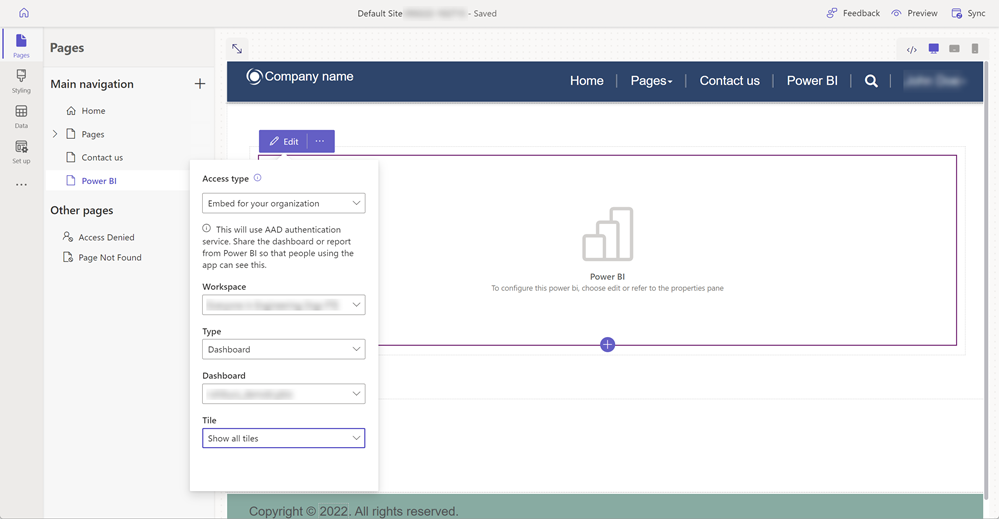
5. Select Edit to configure the appropriate properties to display your Power BI dashboard.
Power Pages is built on the foundation of Power Apps portals. Many of the tools and methods used to configure Power Pages use the functionality of Power Apps portals.
6. You can select More options (...) you to duplicate the component, move it up or down within the section, or delete it.
Source: https://docs.microsoft.com

12/11/2025


