
- Training
- Service
- Promotion
- Schedule
- Testing Center
- News
- Contact
6/16/2022


We know that many of you are leveraging your existing content when creating surveys/quizzes on Microsoft Forms. Recreating everything in Forms can be very time consuming. We hear you and we are excited to bring you an experience that will help you convert your content into Forms with just 1-click.
We will start off by empowering educators with Word/Pdf quiz conversion. Go to http://forms.office.com and try it now!
It’s simple: On the start page, click the "Import” button at the top. Then select a Word or Pdf quiz from your local device.
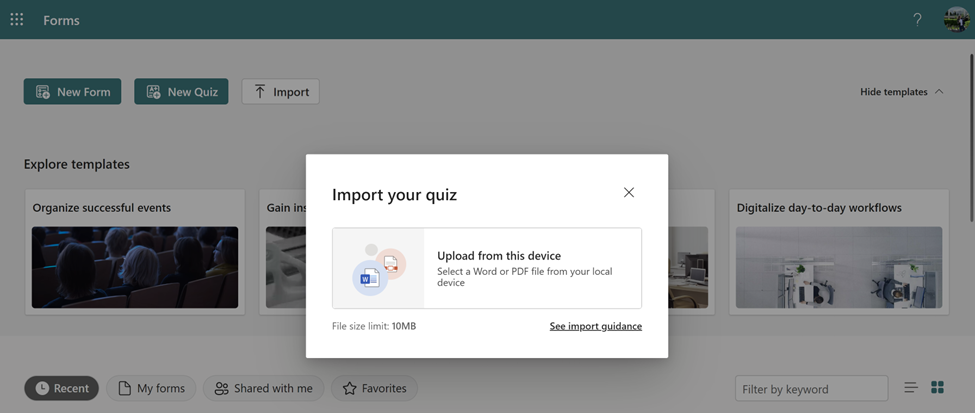
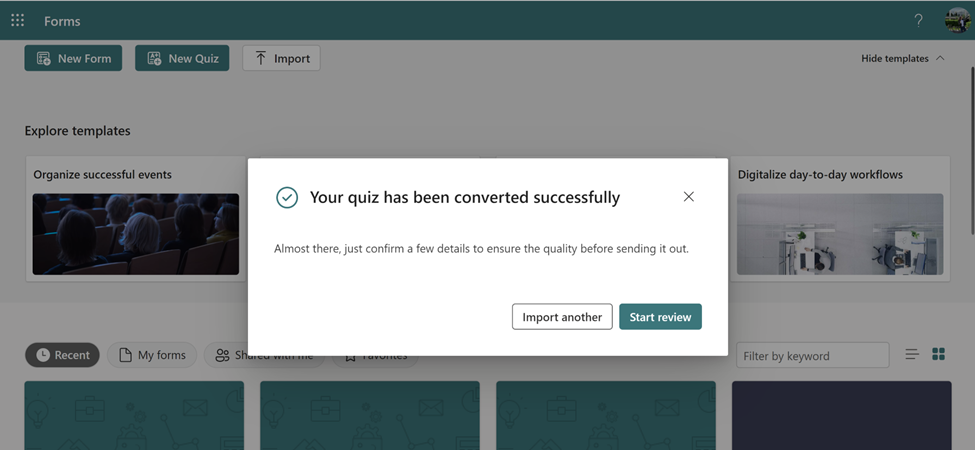
After the conversion is complete a new Quiz will be generated, and you can find it under “Recent” or the “My Forms” tab. You can either import another one or start reviewing the converted forms right away.
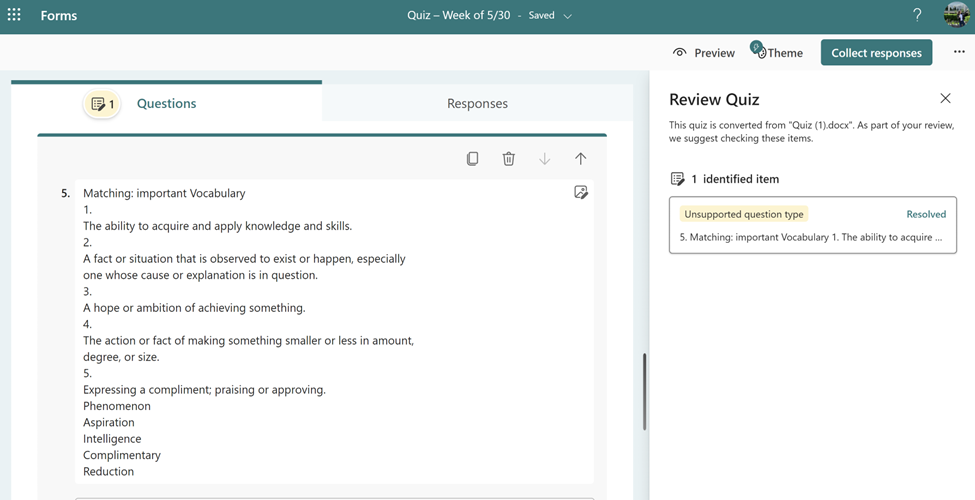
When reviewing the converted quiz, you can start with the identified items on the right pane. It’s a good idea to address these items before sending out the Quiz.

Clicking on the item will bring you to that specific question and you can further make necessary edits. After reviewing, click on the "Resolved" button to remove the item from the check list.
Remember to also set the correct answers and point values for each question to enable easy automatic grading!
Source: https://techcommunity.microsoft.com

12/11/2025


