
- Training
- Service
- Promotion
- Schedule
- Testing Center
- News
- Contact
11/13/2020


Create a form
 Add new to add a question. You can choose to add Choice, Text, Rating, or Date questions. Select the drop-down list to see more question types, such as Ranking, Likert, File upload, Net Promoter Score, and Section.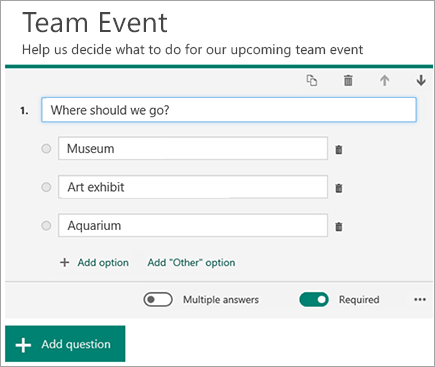
Preview your form
.png)
Source: Support.microsoft.com

12/11/2025


