
- Training
- Service
- Promotion
- Schedule
- Testing Center
- News
- Contact
6/15/2022


Power Pages is built on the foundation of Power Apps portals. Many of the tools and methods used to configure Power Pages use the functionality of Power Apps portals.
Power Pages provides some helpful tools for administrators to manage their sites and environments.
Administrators can use the Power Apps portals admin center to:
The Power Platform Center of Excellence toolkit provides tools and guidance to help you manage your Power Pages sites.
Power Pages inventory components
The inventory components are core to Power Pages governance within the Center of Excellence (COE) Starter Kit. The Power Pages resources are synced to the respective inventory items tables and can be viewed in the Power Platform Admin View app and in the COE Power BI report.
|
Component |
Description | |||||
|
Sync flows of the CoE Starter Kit |
Syncs your tenant resources to the Dataverse tables. | |||||
|
Admin Sync Template v3 (Portals) |
The Power Pages specific cloud flow that handles the Power Pages inventory telemetry. | |||||
|
Power Pages table |
Provides information about created by/on and modified by/on, in addition to resource-specific information. | |||||
|
Power Pages site |
Represents a portal website. | |||||
The following information is available for each app:
Power Platform admin view
Use the Power Platform admin view to:
|
Note The permission app is intended to be used only by admins. Power Platform Service Admin or Global Admin permission is required. Share this app with your CoE admins. |
||
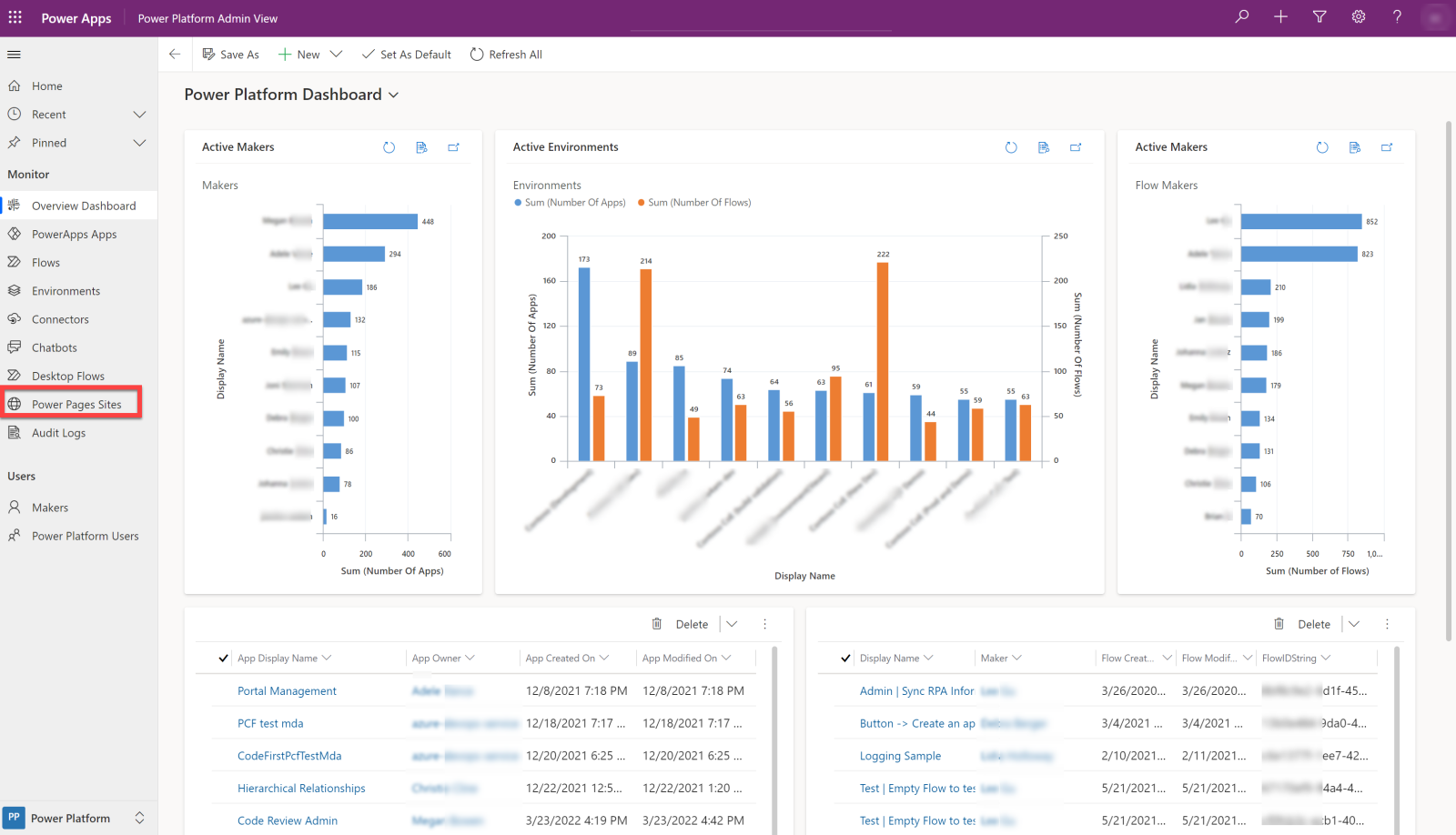
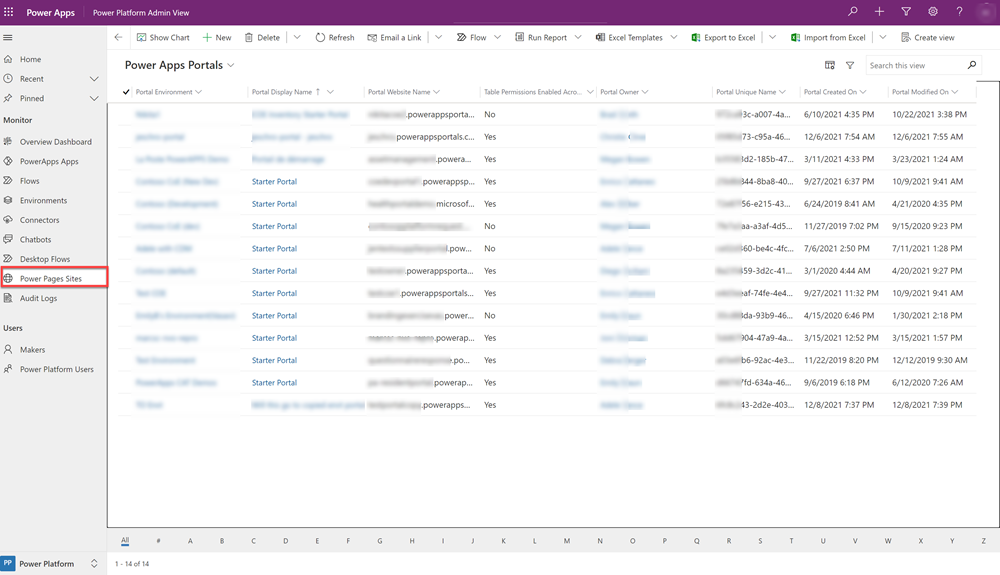
View Power Pages sites data by selecting Power Pages Sites in the left pane. This view shows all sites in the organization's tenant, allowing admins to govern data security and authentication across environments.
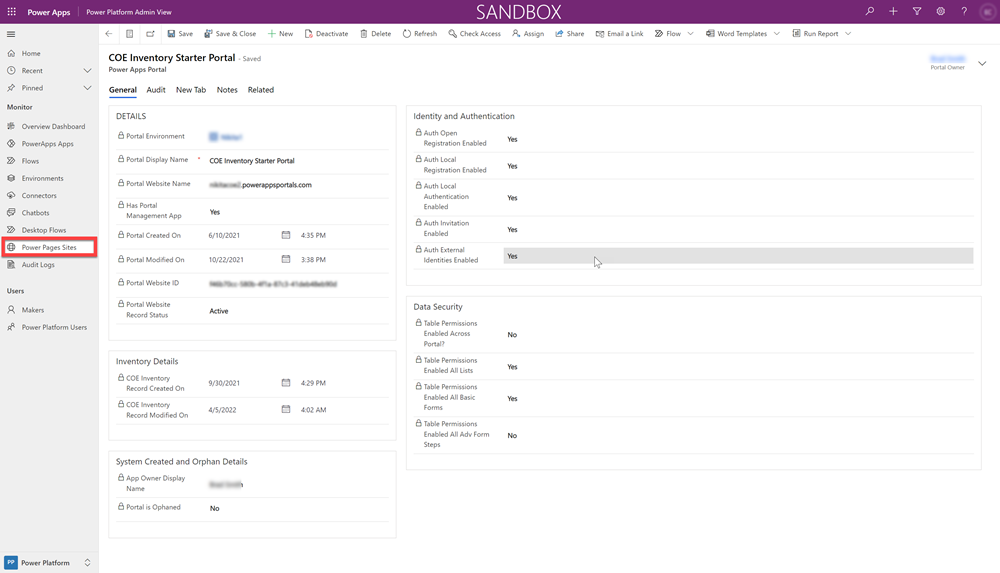
Admins are able view more details about a Power Pages Site by selecting an inventory record row from the list. This action displays the Power Pages details form. Admins can investigate and govern Power Pages sites to ensure they're up to their organization's security and DLP standards.
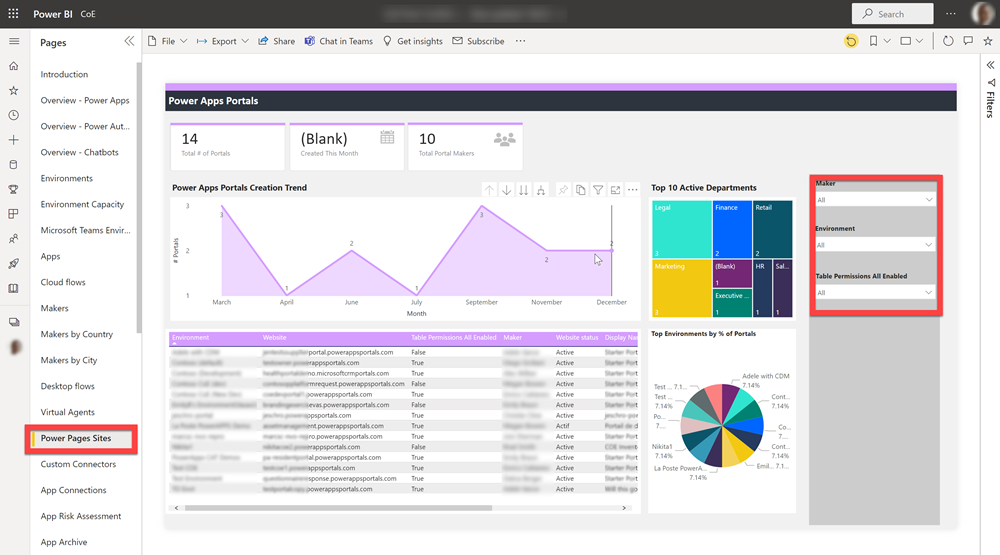
CoE Power BI report
The CoE Dashboard Power BI report provides a holistic view of inventory items in Dataverse with rich visualizations and insights for Environment and Power Pages sites information.
Source: https://docs.microsoft.com

12/11/2025


